
ScanMail™ — Intelligent Mail Processing
Every piece of postal mail — scanned, OCR’d, AI-analyzed, and delivered to the inmate’s kiosk tablet. Staff review exceptions in seconds, not hours.
Scan & Ingest
Staff scan envelopes and pages at the mail room. ScanMail auto-detects new files and queues them for processing.
AI OCR + NLP
Azure AI reads every word — including cursive handwriting. Nemotron NLP extracts sentiment, key phrases, and threat indicators.
Review & Approve
Officers see a clean review queue. Approve bulk clean mail in seconds. Flag suspicious pieces directly for Intelligence.
Kiosk Delivery
Approved mail becomes a read-only PDF on the inmate’s tablet Mail tab — no physical handling needed after scanning.
📚 How To: Navigate ScanMail
Open the Mail Queue
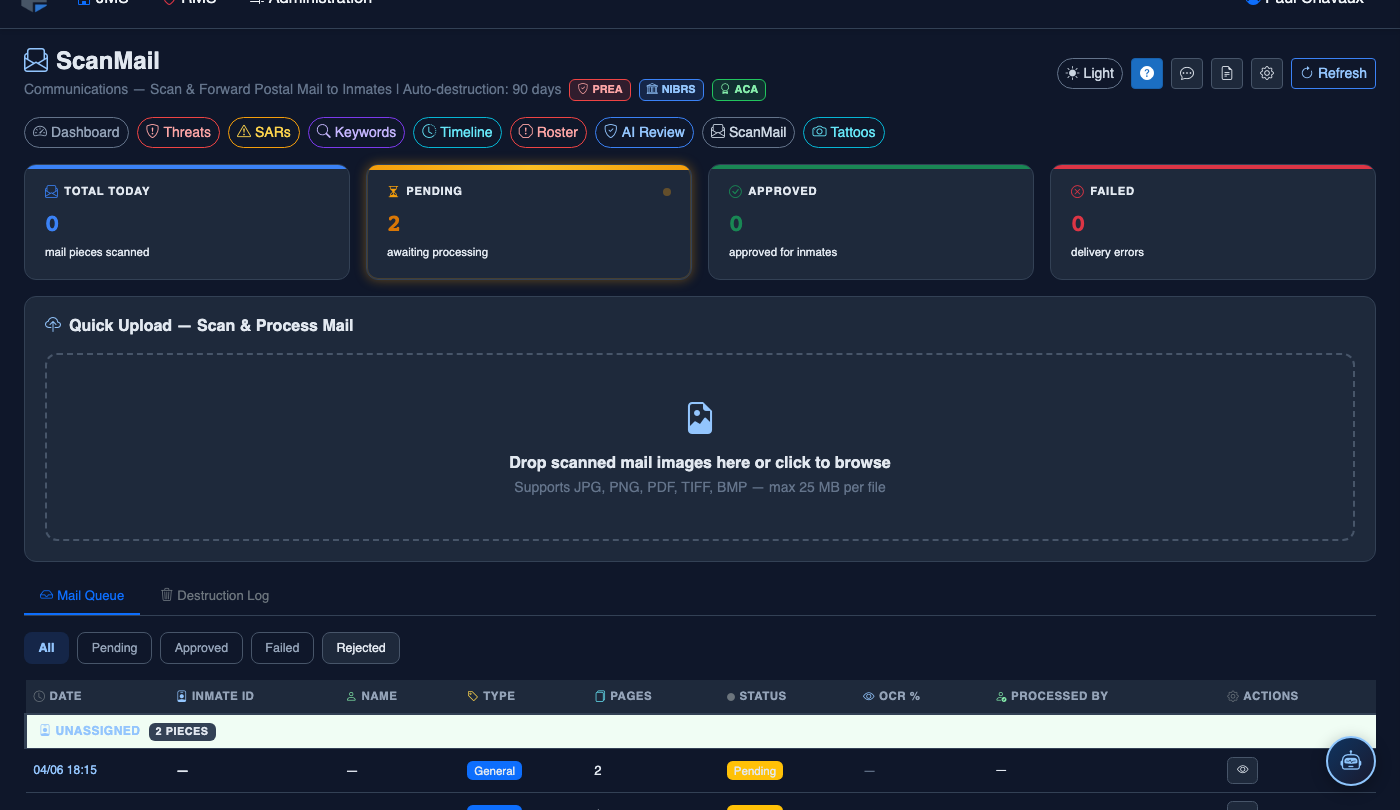
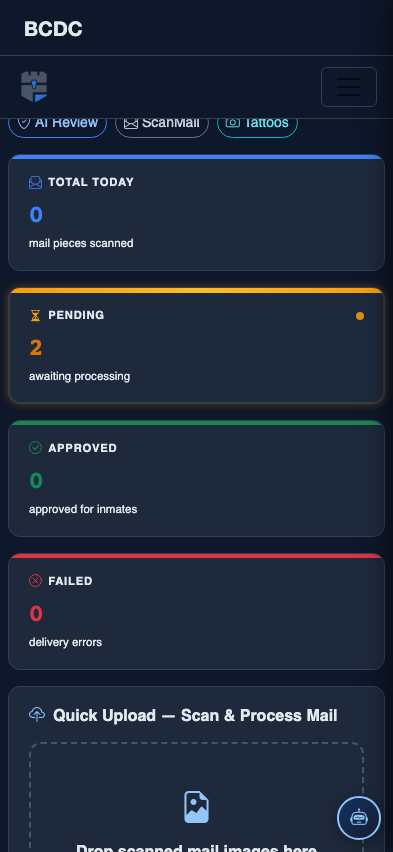
From the JMS navigation bar, click JMS → IPS → ScanMail. The Mail Queue dashboard loads showing today’s scanned pieces, KPI cards (Total Today, Pending, Approved, Failed), and the Quick Upload drop zone.
Review the KPI Cards
The four cards at the top show real-time counts. Pending (amber) means pieces awaiting officer review. Approved (green) are delivered to inmate tablets. Failed (red) need attention.
Filter the Queue
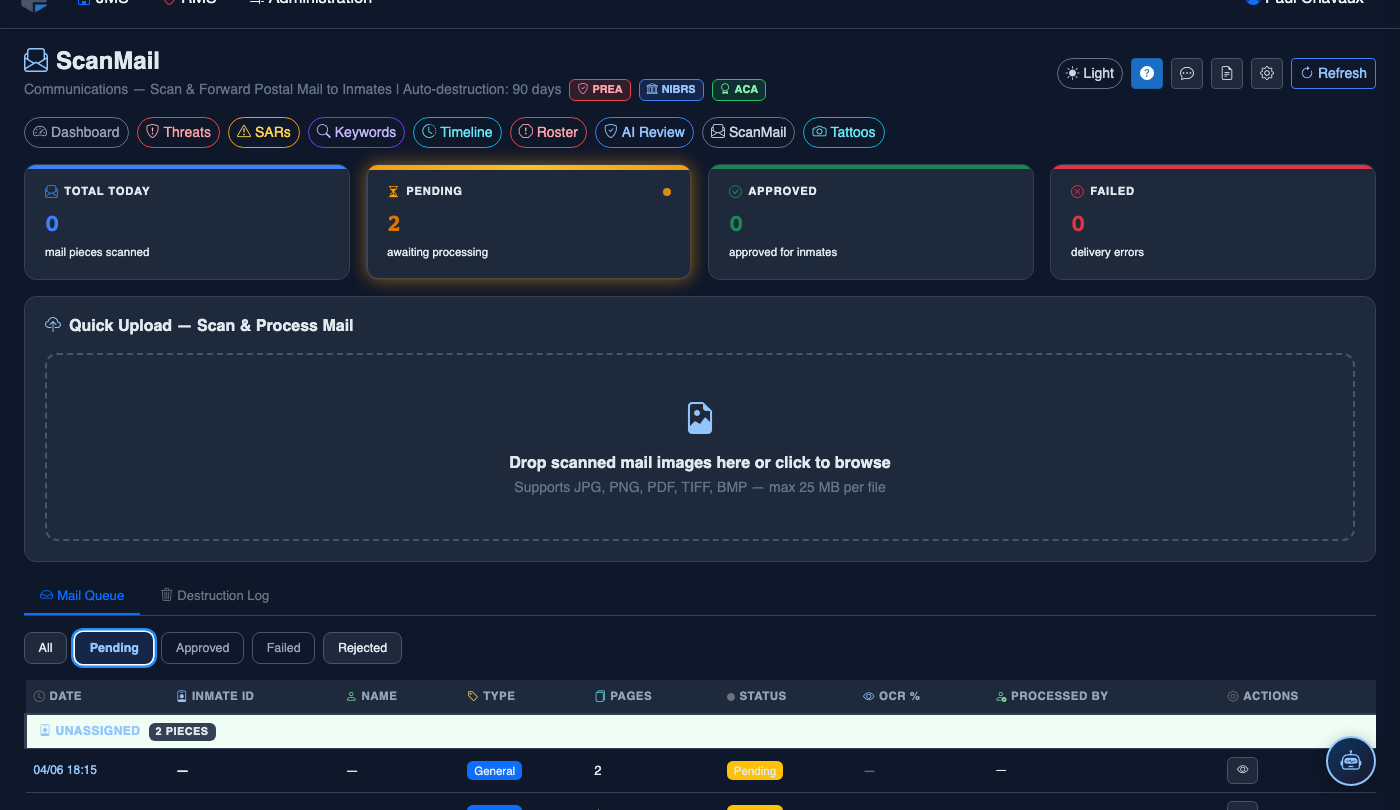
Use the Pending filter pill to isolate pieces needing review. The table shows Date, Inmate ID, Name, Type (General / Legal / Media), Pages, OCR%, and Status.
View Destruction Log
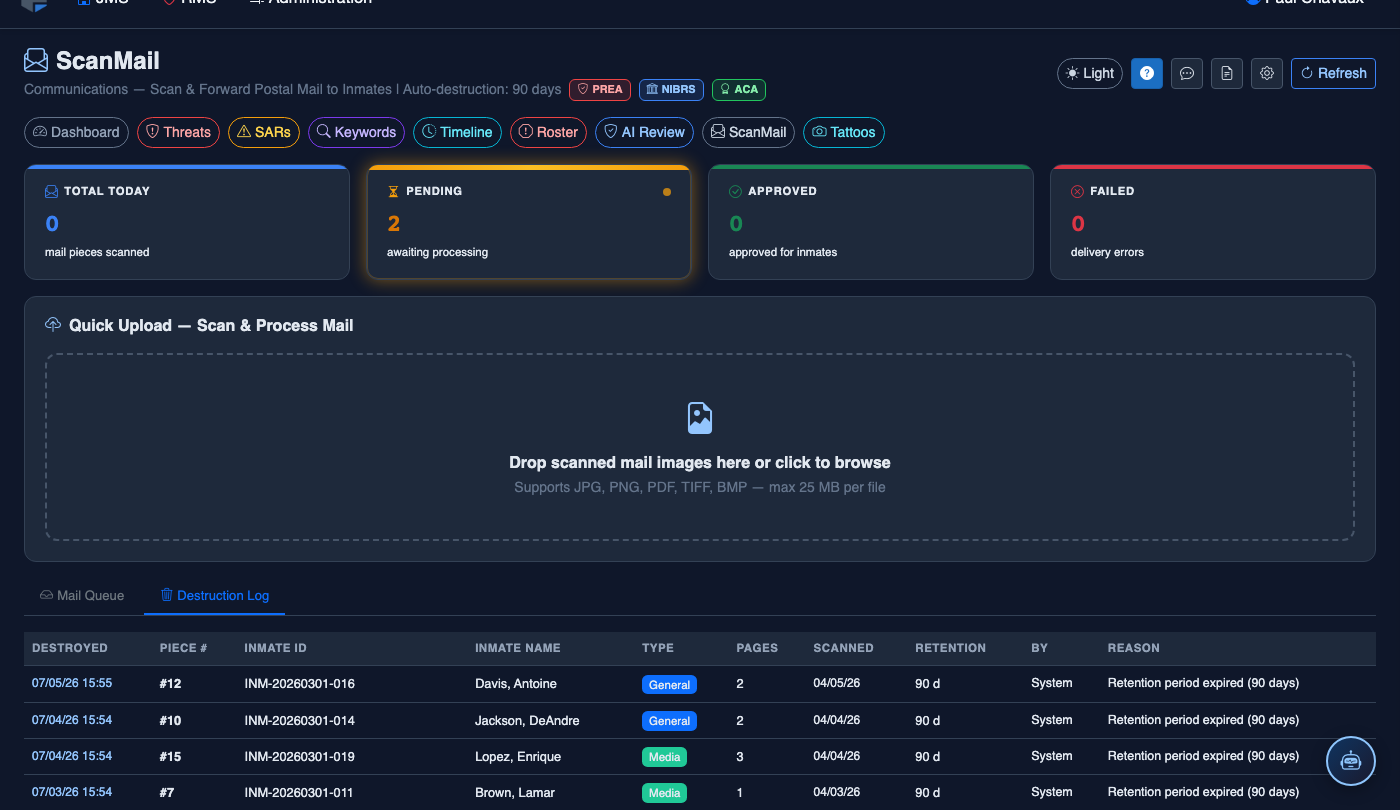
Click the Destruction Log tab to see all mail that has been destroyed at end of retention period (default 90 days). Each entry records who destroyed it, when, and why.
Quick Upload
To add a single piece, drag a JPG/PNG/PDF/TIFF into the Quick Upload drop zone or click to browse. For high-volume batch scanning with the Fujitsu fi-8270, use the Batch Import module.
- Legal mail (attorney–client) bypasses all AI analysis and goes directly to the officer review queue.
- Auto-destruction is configurable in Settings — default is 90 days.
- Compliance badges (PREA, NIBRS, ACA) indicate this module contributes to those frameworks.
Mobile View — ScanMail
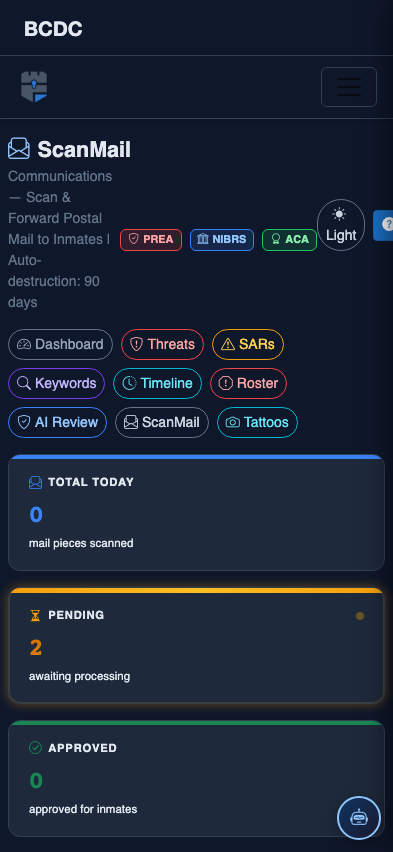
FortressDMS is fully responsive. Officers can access the ScanMail on a phone or tablet directly from the field — no app install required.
Tab view with data rows
Scrolled / detail view