
NEMO Intelligence
NEMO Intelligence is FortressDMS’s advanced analytics and behavioral intelligence engine, designed to surface hidden patterns across inmate populations, incidents, and facility operations. It continuously cross-references booking records, classification history, housing assignments, grievances, and incident reports to generate actionable risk scores and threat assessments. Administrators use NEMO dashboards to proactively manage gang affiliations, identify escalation risk, and drive data-informed classification decisions.
Behavioral Risk Scoring
Machine-learning models assign real-time risk scores to each inmate based on incident history, grievances, and behavioral indicators.
Gang & Association Mapping
Automatically identifies and visualizes known affiliations, rivalries, and association networks within the facility population.
Trend Analytics
Visualize incident frequency, classification changes, and housing unit tensions over time with filterable trend dashboards.
Early Warning Alerts
Configurable alert thresholds notify supervisors when an inmate’s risk trajectory crosses predefined escalation levels.
Intelligence Reports
Generate exportable intelligence briefs on individuals or groups for sharing with investigators, prosecutors, or partner agencies.
Housing Conflict Matrix
NEMO flags incompatible housing pairings before cell assignments are made, reducing officer-preventable altercations.
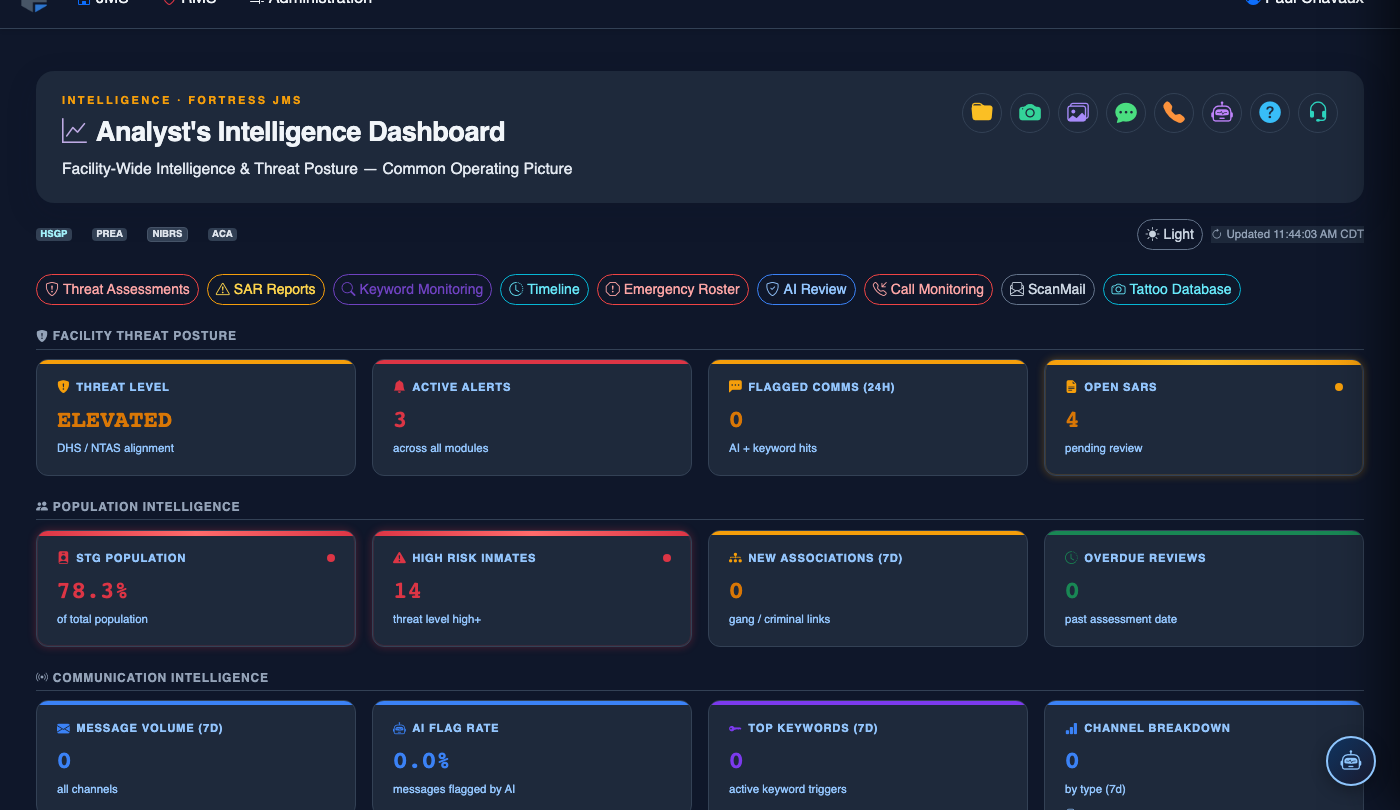
Step-by-Step: Using NEMO Intelligence for Facility Risk Management
Open the NEMO Intelligence Dashboard
Select NEMO Intelligence from the main navigation. The dashboard opens with a facility-wide Risk Overview panel showing population-level risk distribution, active early-warning alerts, and a heat map of housing unit tension scores.
Review Individual Risk Profiles
Click any inmate in the High Risk tier to open their Intelligence Profile. This view shows their composite NEMO Score, contributing factor breakdown (incident history weight, grievance frequency, known affiliations), and a 90-day behavioral trend line.
Explore the Association Network
From the profile, click View Association Map to open the interactive network graph. Nodes represent inmates; edges show confirmed affiliations, co-conspirator linkages, and shared grievance patterns. Use the Filter by Gang / STG dropdown to isolate specific security threat group networks.
Configure Early Warning Thresholds
Navigate to Settings > Alert Thresholds within NEMO. Set numeric cutoffs for each risk tier (e.g., score ≥ 75 = High Risk, ≥ 90 = Critical). Assign notification recipients by Role so that critical alerts route directly to the on-duty captain and classification sergeant.
Run a Housing Conflict Check
Before executing a housing move, open the Housing Conflict Matrix tool, enter the source and destination Cell / Bunk, and click Check Compatibility. NEMO returns a compatibility score and highlights any known rivalries, PREA-related separation orders, or co-defendant restrictions that would make the move unsafe.
Generate an Intelligence Report
Click Export Intelligence Brief from any inmate profile or group view. Choose the output format (PDF or encrypted Excel), select which data sections to include (risk score breakdown, incident timeline, association map), and specify the Distribution Classification (Internal / Law Enforcement Sensitive) before saving.
Schedule Automated Trend Reports
Under Reports > Scheduled, configure weekly or monthly NEMO trend summaries to be emailed automatically to facility leadership. Select the Date Range, Housing Unit filter, and recipient list, then click Activate Schedule.
💡 Pro Tips
- Review the NEMO dashboard at the start of every shift to catch risk score changes that occurred overnight — many escalations begin during low-staffing hours.
- Use the Batch Export feature when preparing discovery packets or sharing intelligence with federal task forces to maintain consistent formatting and classification markings.
- Calibrate risk score weights semi-annually by comparing NEMO High Risk designations against actual incident outcomes to improve model accuracy for your facility’s specific population.