
IVR Setup
The IVR Setup tab gives administrators a visual, drag-and-drop interface for building and managing the facility’s Interactive Voice Response call trees — no telephony engineering background required. Use IVR to automate public inquiry lines, route attorney calls directly to the appropriate clerk, guide family members through inmate locator menus, and handle after-hours calls without tying up staff. Every menu node, audio prompt, and routing action is configured here and applied instantly to the live phone system.
Visual Tree Builder
Drag-and-drop nodes onto a canvas to build multi-level call trees — no programming or PBX CLI access required.
Audio Prompt Management
Upload pre-recorded WAV/MP3 files or use the built-in text-to-speech engine to generate professional-sounding menu prompts instantly.
Schedule-Based Routing
Automatically switch IVR behavior based on time of day or day of week — route to staff during business hours and voicemail after hours.
Call Simulation
Walk through every IVR path using the built-in call simulator before pushing changes to the live system, preventing caller dead-ends.
Step-by-Step: Building an IVR Call Tree
Open IVR Setup
Navigate to Communicator Management > IVR Setup. The panel lists all existing IVR trees with their associated DID numbers, last-modified date, and status. Click + New IVR Tree to create one, or select an existing tree to edit it on the visual canvas.
Name the IVR and Assign a DID
Give the tree a descriptive internal name (e.g., “Public Inquiry Main Menu”) and link it to one or more DID numbers from the Assigned DIDs dropdown. Callers dialing those numbers will be immediately routed into this IVR upon answer.
Build the Menu Tree
On the canvas, the root node represents the greeting. Drag Menu Option nodes beneath it — one for each keypress option you plan to offer. Connect nodes by dragging from the output port of a parent to the input of the child. Common root options for a jail: Press 1 for Inmate Information, Press 2 for Visitation Scheduling, Press 3 for Bond Information, Press 0 for Operator.
Upload or Generate Audio Prompts
Click any node and open its Audio Prompt panel. Either upload a professionally recorded WAV file or type the announcement text and click Generate TTS to produce a natural-sounding prompt using the built-in text-to-speech engine. Preview playback directly in the browser before saving.
Set Timeout and Fallback Actions
For each menu node, configure the Timeout (seconds to wait for keypress) and Fallback Action — what happens if the caller presses nothing or enters an invalid key. Recommended: replay the menu once on first timeout, then transfer to the operator queue on second timeout. Never let a path terminate in silence.
Configure Business-Hours Schedule
Open the Schedule tab for the IVR tree. Set your facility’s open hours per day of week. Calls arriving inside those hours follow the standard menu tree; calls outside those hours route to an After-Hours node where you can play a custom message and divert to voicemail or an emergency on-call extension.
Simulate and Publish
Click Simulate Call and walk every branch of the menu to confirm all paths reach a valid destination. Fix any dead-ends or missing prompts the simulator flags. When the simulation passes cleanly, click Publish IVR — the updated tree goes live on the phone system within 30 seconds.
💡 Pro Tips
- Keep top-level menu options to 4 or fewer — callers to a jail are often under stress, and long menus increase hang-ups. Put the most-called option (usually inmate information) on Press 1.
- Re-record audio prompts professionally when changing the facility name, phone numbers referenced in the greeting, or visiting hours — outdated prompts are a common public complaint.
- Use the Clone Tree function to duplicate the current live IVR before making structural changes — this gives you an instant rollback option if the new version causes routing problems.
Mobile View — IVR Setup
FortressDMS is fully responsive. Officers can access the IVR Setup on a phone or tablet directly from the field — no app install required.
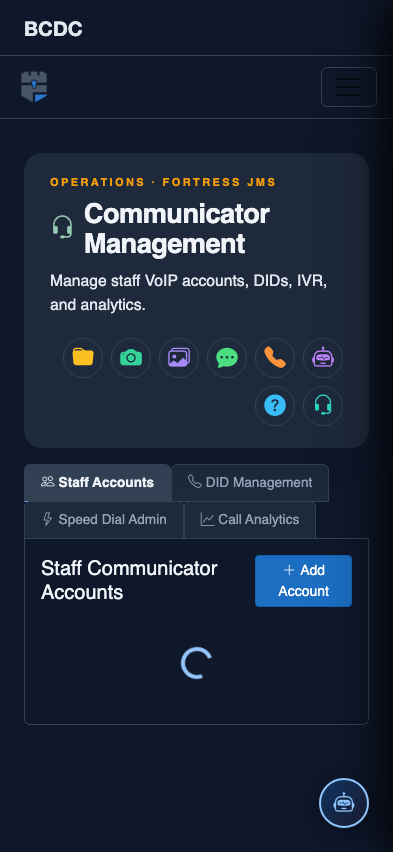
Tab view with data rows
Scrolled / detail view