
Classification Dashboard
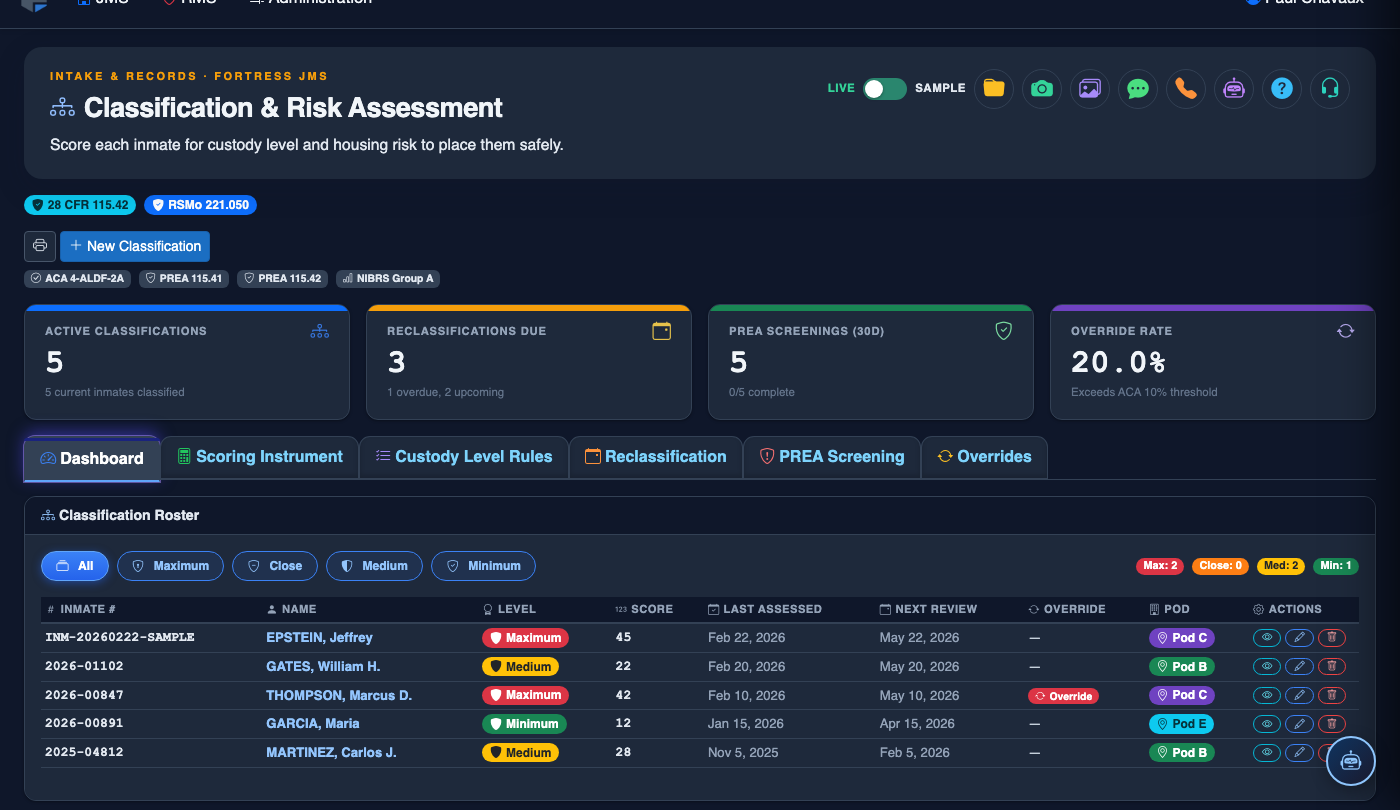
The Classification Dashboard is the command center for all classification activity in your facility, providing a real-time snapshot of pending reviews, custody level distribution, override rates, and upcoming reclassification due dates. Classification supervisors use this view to prioritize work queues, monitor officer performance, and proactively address compliance gaps before they become audit findings. Every critical classification metric is visible at a glance without requiring manual reporting.
Population Overview
Live counts and percentage breakdowns of Minimum, Medium, and Maximum custody inmates across all housing units.
Pending & Overdue Reviews
Color-coded queues highlight inmates awaiting initial classification or past their scheduled reclassification date.
Override Rate Monitoring
Track officer-level and facility-wide override rates with drill-down into individual override justifications.
Reclassification Alerts
Automated alerts for upcoming reclassification dates ensure no review is missed due to manual tracking lapses.
Step-by-Step: Using the Classification Dashboard
Open the Classification & Risk Module
From the main navigation, select Classification & Risk. The system defaults to the Classification Dashboard tab, giving you an immediate facility-wide view.
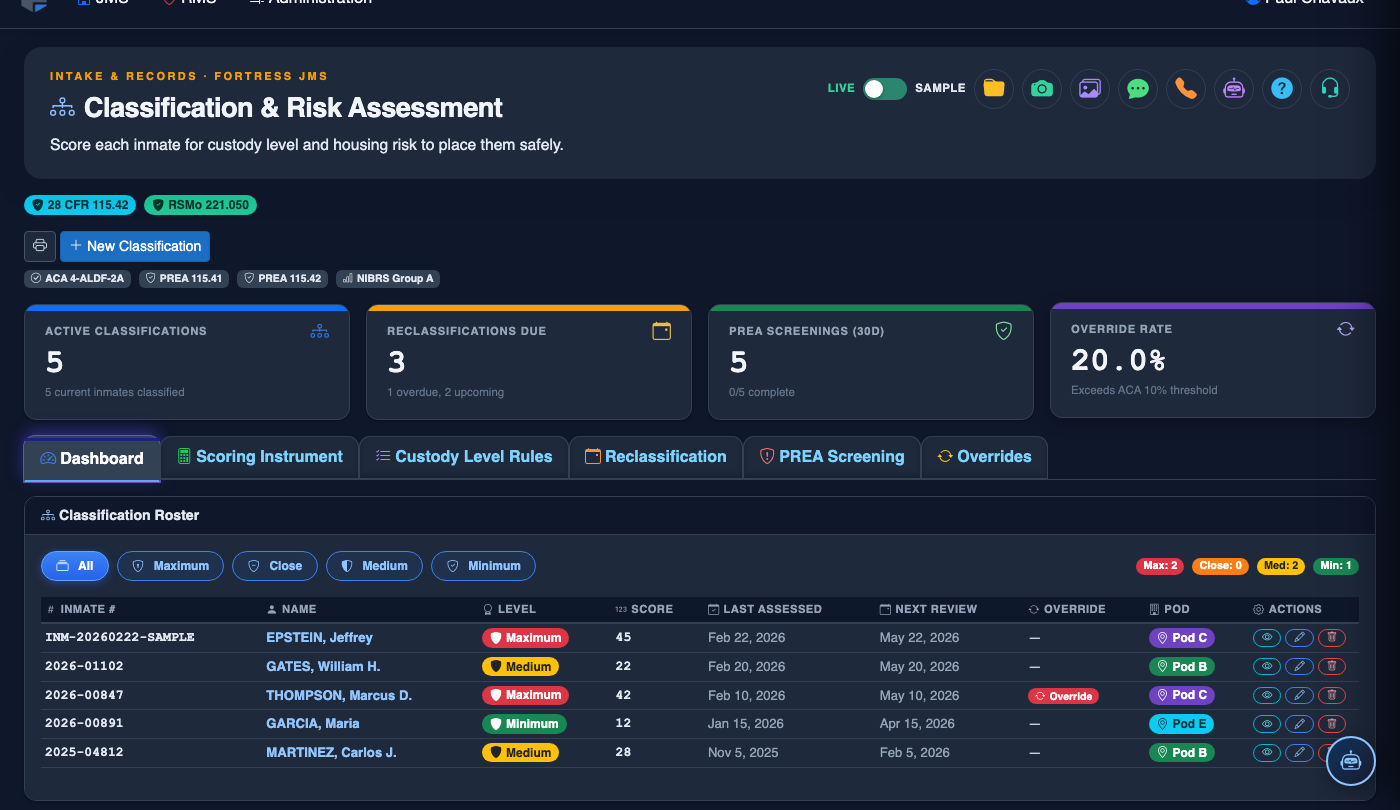
Review the Population Summary Cards
The top row of cards shows current counts for Minimum, Medium, and Maximum custody inmates, plus totals for Unclassified and Overdue for Reclassification. Red cards indicate action is needed.
Work the Pending Classification Queue
Click the Pending Classification queue to expand the list sorted by booking date (oldest first). Click any inmate row to launch their scoring instrument directly from the dashboard.
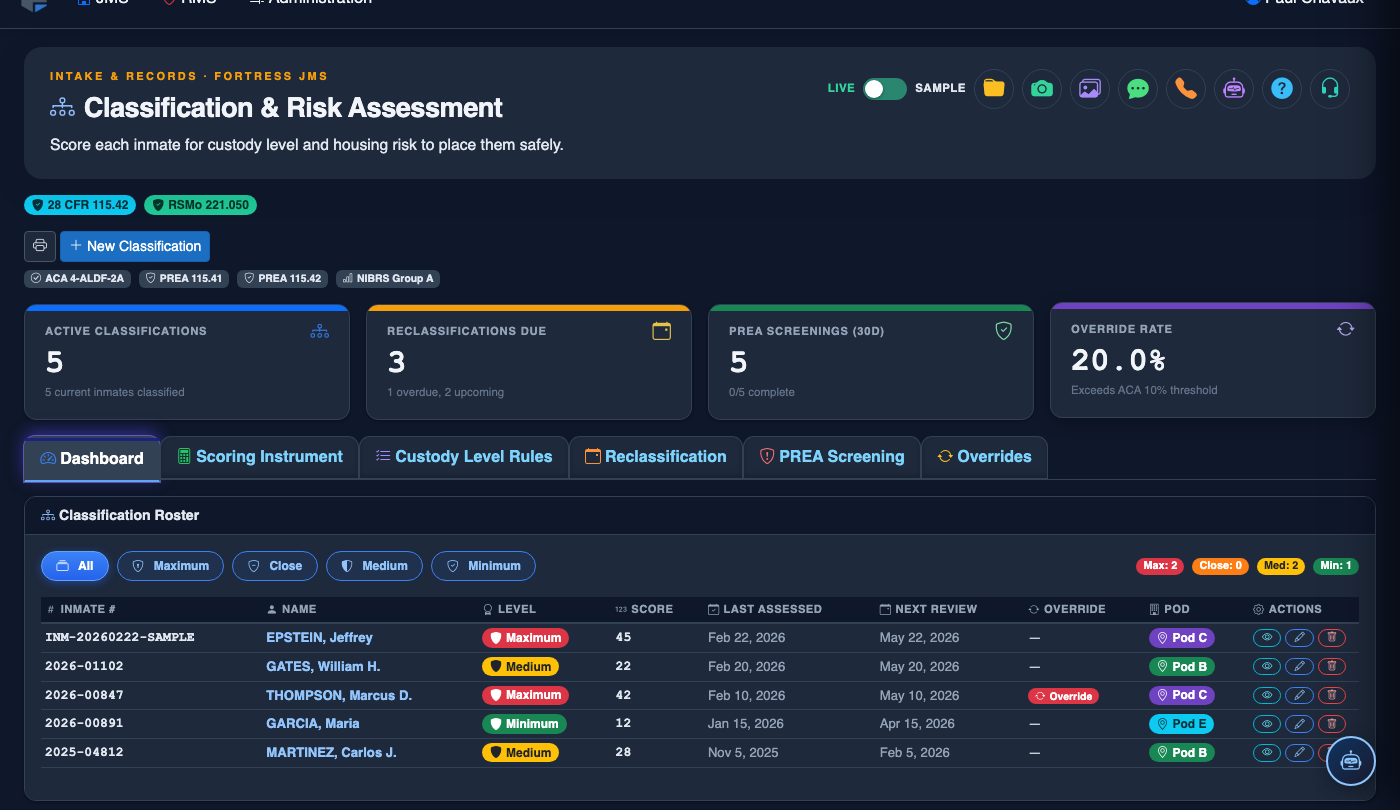
Review Overdue Reclassifications
The Overdue Reclassifications panel lists inmates whose scheduled review date has passed. Sort by days overdue and assign them to classification officers directly from this list using the Assign button.
Monitor Override Rates
Scroll to the Override Activity section to view the current month’s override rate by officer and facility total. Click any officer’s name to review their individual override justifications for supervisor sign-off.
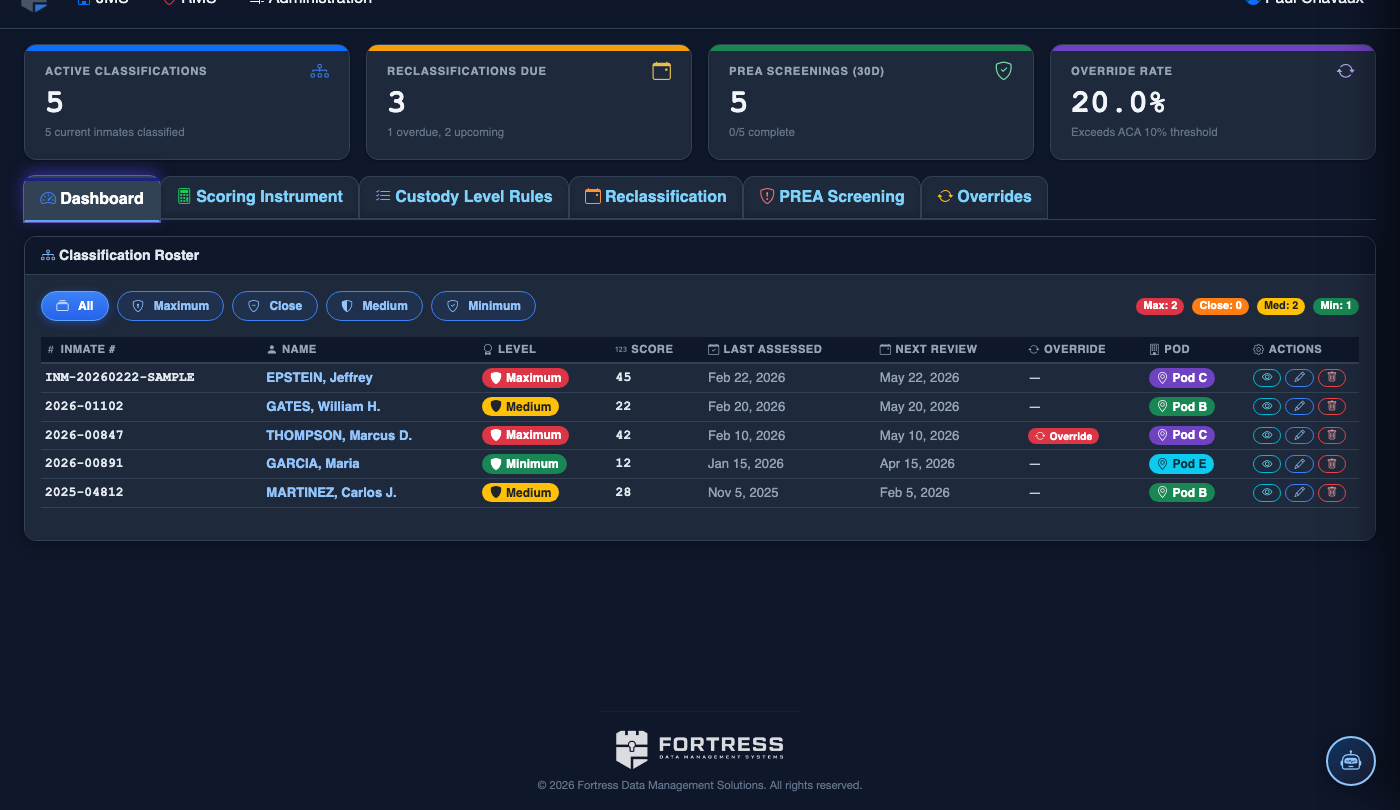
Export Dashboard Report
Click Export Report at the top right of the dashboard to generate a PDF summary of all classification metrics for the current date. Use this report for weekly supervisor briefings or accreditation preparation packages.
💡 Pro Tips
- Make the Classification Dashboard your browser bookmark — checking it at shift start takes 60 seconds and keeps your facility’s compliance posture current every day.
- The override rate card turns amber at 15% and red at 25%; most accreditation standards expect overrides to be the exception, not the norm — investigate early.
- Use the upcoming reclassification calendar view (toggle top-right) to plan officer workload for the week, especially around holidays when staffing is lean.